Gabbys Dollhouse: Cat Games
Play PiknikEducational
3.81.28K Reviews
- Version
- 4.0.2
- Installs
- 10.00M
- Age Rating
- Everyone
Screenshots
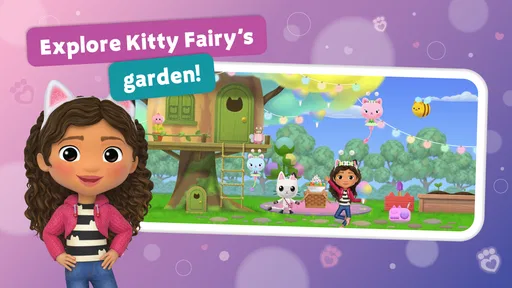
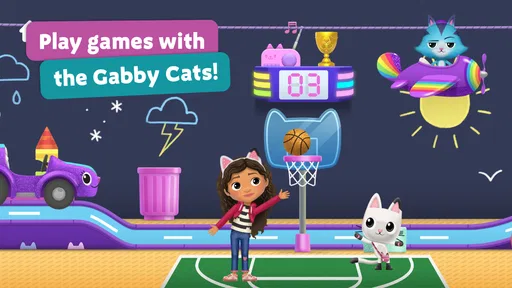
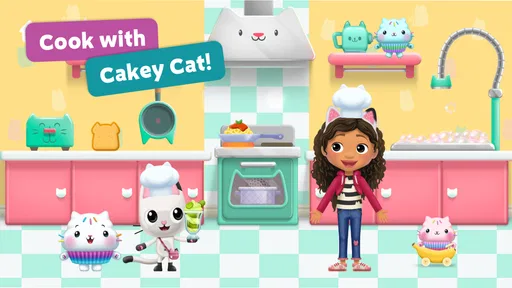
Our Review of Gabbys Dollhouse: Cat Games
 Analysis by Appyee
If your child enjoys cats, pretend play, and short activities that can be picked up without much setup, I’d consider Gabbys Dollhouse: Games & Cats. It is an educational game from Play Piknik, built around Gabby’s dollhouse and its characters. I see its appeal less as a structured lesson and more as a familiar, playful place where children can move between different kinds of activities. That distinction matters: families looking for a focused reading or maths course may want a different kind of app, while children who like imaginative play may find this a more inviting choice.
What to consider before downloading
When I weigh up a children’s game, I look at whether a child can understand what to do, whether the activities suit short visits, and whether the experience is likely to hold their interest beyond the first few minutes. This game brings together rooms, mini-games, crafts, music, and cat characters, so it offers several ways to engage rather than asking a child to repeat one kind of task. Its Everyone age rating and free download make it approachable for families who want to try it before deciding whether it deserves a regular place on a device.
There is a practical difference between “free to download” and “no spending prompts”: the game is free, but it offers in-app purchases priced from $0.99 to $19.99 per item. I would check the purchase settings on the device before handing it to a child, especially if they can navigate menus independently. That is a sensible precaution for any family game with optional purchases, and it helps keep a play session within the boundaries you choose.
A good fit for small bursts of imaginative play
I think the strongest use case is a short, low-pressure play break: a child can explore a room, try an activity, then move on when their interest shifts. On a quiet afternoon, for example, a parent might offer the game while preparing a snack nearby, then invite the child to describe what they made or which cat they met. That kind of conversation can extend the play without turning it into a lesson, and it gives an adult a natural way to stay involved.
The variety is useful, but I would not assume that every activity will appeal equally to every child. A child who likes making things may gravitate toward crafts, while another may prefer music, cooking-style play, or finding objects. Rather than directing them through every room, I’d let them choose and watch what they return to. Their preferences can help a parent decide whether this is a game they will revisit or simply an enjoyable one-time exploration.
For a child who needs a clear, measurable learning sequence, a dedicated educational app may be the better option. This game’s educational value appears through play and discovery, not a promise of a step-by-step curriculum. I would use it as a playful complement to books, drawing, or hands-on activities, not as a replacement for them. That makes expectations more realistic and lets the game succeed at what it is designed to do: offer an inviting dollhouse world to explore.
Exploring the Dollhouse
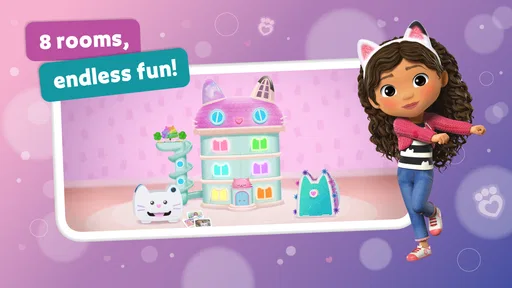
The first thing that caught my eye was the vibrant and welcoming interface. As soon as I opened the app, I was greeted by Gabby herself, inviting me into her whimsical dollhouse. The navigation is pretty intuitive, and I found myself easily swiping through the different rooms, each uniquely themed and packed with interactive elements.
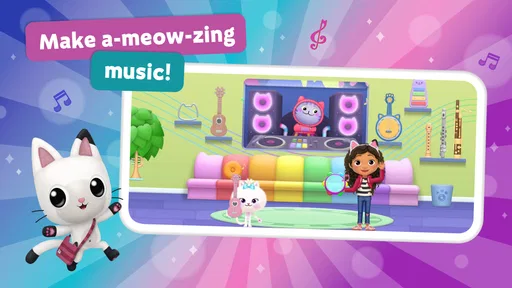
Each room offers a different set of activities. From the craft room where you can create fun DIY projects to the music room filled with instruments, there's something for everyone. I particularly loved the kitchen where you can whip up some delicious treats with Gabby and her kitty friends. It's like a mini cooking game within the app!
Mini-Games Galore
One of the standout features of Gabbys Dollhouse: Games & Cats is the variety of mini-games. These games are not only entertaining but also educational. I tried my hand at a puzzle game that was surprisingly challenging, yet rewarding. There’s also a hidden object game that tests your observational skills, perfect for keeping the little ones engaged.
What I appreciate most about these mini-games is their ability to subtly teach valuable skills. Whether it's problem-solving, creativity, or coordination, each game offers a learning opportunity disguised as fun. Plus, the vibrant graphics and catchy tunes add to the overall immersive experience.
Cat-tastic Companions
No app about a dollhouse would be complete without some furry friends, and Gabbys Dollhouse: Games & Cats does not disappoint. The app features a delightful cast of kitty characters, each with its own personality and quirks. Pandy Paws, with his curious nature, quickly became my favorite.
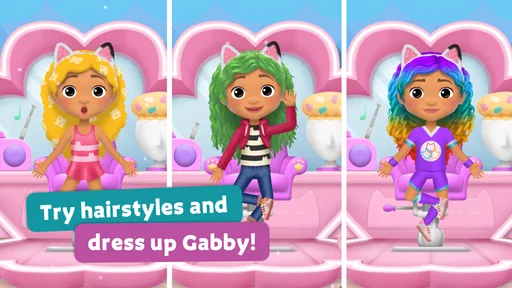
Interacting with these cat companions is a joy. You can pet them, feed them, and even dress them up in adorable outfits. Each interaction feels rewarding, and the animations are so cute that it's hard not to smile. It's a great way for kids to learn about caring for pets in a virtual setting.
Making play feel more purposeful
A useful way to get more from the activities is to let a child explain their choices while they play. If they finish a puzzle or spot an object, ask how they found it rather than immediately moving to another task. This keeps the moment child-led while encouraging attention and describing what they notice. It is a small adjustment, but it can turn a quick tap-through into a more thoughtful shared activity without adding pressure or pretending the game is a formal lesson.
The mix of activities also gives parents a choice about the kind of screen time they are offering. When a child seems restless, a room with music or interactive play may feel more appealing than a puzzle; when they want a quieter challenge, a search or puzzle activity may be a better fit. I would treat that variety as a way to match the game to a child’s mood, not as a guarantee that it will hold attention every time.
Parental Controls and Safety
As a parent, safety is always a concern when it comes to apps for kids. I was pleased to find that Gabbys Dollhouse: Games & Cats includes robust parental controls. The app doesn’t feature any in-app purchases or ads, which means your child can explore freely without any unwanted interruptions.
The developers have done an excellent job of creating a safe and secure environment for young users. The app is educational, fun, and most importantly, free from any inappropriate content. This makes it a top pick for parents looking for quality apps for their children.
For an accurate decision, I would separate the general appeal of the game from the practical details a family needs to manage. It is rated Everyone, runs on Android 6.0 or later, and the current version is 3.3.0. It has a 4.1 average from around 30,000 ratings, with more than 1,000 written reviews and over 10 million installs. Those figures suggest that many families have tried it, but they cannot tell you whether its particular activities will suit your child; a short supervised session is still the best test.
One point worth keeping in mind is that the earlier claims about purchases and ads should not be treated as a reason to leave a child entirely unsupervised. Optional purchases are available, so I’d use the device’s purchase controls and explain that buying something requires an adult’s permission. If you are comparing children’s games, this is a useful distinction: a character-filled play app can feel safe and friendly while still needing the same basic household boundaries as other free-to-start games.
How it compares with other children’s games
Compared with a single-purpose puzzle game, this dollhouse format gives a child more kinds of play to choose from, but it may feel less focused if they want one clear challenge. Compared with open-ended drawing or craft apps, it adds characters and rooms that give play a setting, while a blank canvas may offer more freedom for a child who likes inventing everything from scratch. And compared with structured learning apps, its gentler, varied approach is better suited to casual exploration than to practicing a particular school skill.
That trade-off is why I would choose it for a child already drawn to Gabby’s world, cats, and pretend play, rather than as a universal educational recommendation. A child who prefers fast competition, detailed building, or a clearly progressive course may be happier elsewhere. The game’s advantage is its familiar, playful atmosphere; its limitation is that atmosphere alone may not keep every child engaged once the novelty of exploring the rooms wears off.
Deciding whether it earns a place on the device
If your child enjoys returning to favorite characters and switching between different light activities, this could be a handy option for a brief break at home or while waiting somewhere with an adult nearby. I would introduce it when there is time to explore together, rather than relying on it to occupy a child for a long stretch. A parent can help with the first visit, then see whether the child understands the navigation and can choose an activity comfortably on their own.
There is little to learn before trying it beyond being comfortable with its style of play and setting sensible purchase limits. The game is free to download, but the optional purchases mean I would not assume that every part of the experience is without cost. If a child asks to buy something, that is an opportunity to explain your family’s rules rather than an unexpected reason to abandon the game. For families who prefer not to have purchase options in children’s apps at all, a fully purchase-free alternative may be a better match.
Final Thoughts
Overall, Gabbys Dollhouse: Games & Cats is a delightful app that combines fun, learning, and creativity in a seamless package. Whether you're a child or just young at heart, there's plenty to enjoy. The vibrant graphics, engaging mini-games, and adorable cat companions make it an experience worth exploring.
If you're looking to dive into a world of fun and imagination, I highly recommend giving this app a try. It's available for both Android and iOS, so you can easily download it and start your adventure in Gabby's magical dollhouse.
My recommendation is strongest for younger players who like cats and character-led pretend play, and for adults who are happy to let a child explore several kinds of activity without expecting a formal lesson plan. I’d skip it if you need a tightly structured learning tool, if your child is uninterested in the dollhouse theme, or if you want an app with no optional purchases to manage. For everyone else, it is a reasonable free starting point: try it together, set purchase boundaries, and let your child’s response decide whether the dollhouse becomes a favorite.
Verdict
Strengths of Gabbys Dollhouse: Cat Games
- Engaging mini-games for all ages.
- Colorful, vibrant graphics and design.
- Promotes creativity and exploration.
- User-friendly interface for kids.
- Regular updates with new content.
Limitations of Gabbys Dollhouse: Cat Games
- Limited offline functionality.
- In-app purchases can add up.
- Requires stable internet connection.
- Might be too simple for older kids.
- Some features require subscription.
Other Releases by Play Piknik
View All
Toca Boca Jr: Fun Kids Games
Educational3.3

Toca Boca Hair Salon 4
Educational3.8

PAW Patrol Academy
Education3.5

Sago Mini World: Kids Games
Educational3.6
Similar Picks in This Category
View All
Little Panda Policeman
BabyBus4.0

Monster Trucks Game for Kids 2
Raz Games4.1

Little Panda's Chinese Recipes
BabyBus4.4

Little Panda's Restaurant
BabyBus4.4

Little Panda's Ice Cream Games
BabyBus4.3

Baby Panda Care
BabyBus3.8
Frequently Asked Questions
What is Gabby's Dollhouse: Games & Cats about?
Gabby's Dollhouse: Games & Cats is an engaging mobile app inspired by the popular children's series. It features a variety of interactive games and activities centered around Gabby and her feline friends. Users can explore virtual dollhouses, participate in mini-games, and enjoy creative play that encourages imagination and problem-solving skills.
Is Gabby's Dollhouse: Games & Cats suitable for all age groups?
The app is primarily designed for young children, particularly those familiar with the Gabby's Dollhouse series. It offers age-appropriate content that is easy to navigate, making it ideal for preschoolers and early elementary kids. Parents can feel confident in the app’s safe and educational content tailored for young minds.
Are there in-app purchases in Gabby's Dollhouse: Games & Cats?
Yes, Gabby's Dollhouse: Games & Cats includes in-app purchases. While the app itself is free to download, some features and content may require payment. Parents should be aware of this aspect and consider setting up parental controls or discussing purchase permissions with their children to avoid unexpected charges.
What platforms is Gabby's Dollhouse: Games & Cats available on?
Gabby's Dollhouse: Games & Cats is available for both Android and iOS devices. Users can download it from the Google Play Store for Android devices and the Apple App Store for iOS devices. Ensure that your device meets the necessary system requirements for optimal performance.
Does Gabby's Dollhouse: Games & Cats require internet access?
While some features of Gabby's Dollhouse: Games & Cats can be enjoyed offline, certain elements may require an internet connection. This includes downloading updates or accessing additional content. It's a good idea to have internet access for the initial setup and to fully utilize all the app’s features.
Play our best games!


